



Product Spotlight: AI Scribe Tasks
AI Scribe Tasks automatically generates follow-up actions from session transcripts the moment an appointment ends. Included with AI Charting.

After a busy clinic day, the session is over -- but the work isn't. There are referrals to send, labs to order, prescriptions to adjust, homework to assign, and follow-up appointments to schedule. For most providers, capturing all of it means relying on memory, sticky notes, or squeezing documentation time between patients. The result: tasks get missed, follow-through is inconsistent, and administrative burden compounds.
Healthie's task system exists to solve exactly this problem. Providers and care teams use it to track everything that needs to happen outside of a session -- assigned, organized, and visible across the platform. But even with a robust task system in place, the creation step still requires a provider to stop, remember, and manually log every action item after a visit.
That's the gap AI Scribe Tasks closes.
What is AI Scribe Tasks?
AI Scribe Tasks is a new capability included with Healthie AI Charting. The moment an appointment ends and the AI Scribe transcript is processed, Healthie automatically generates a structured list of follow-up tasks based on what was discussed during the session. No extra steps, no additional recording time, and no Scribe minutes consumed -- the feature draws from the transcript AI Scribe already captured.
Tasks appear in the Healthie task list alongside everything else the care team is managing. Each AI-generated task is clearly marked with a sparkle icon and an "AI Scribe" badge, so providers can easily distinguish them from manually created tasks.
What gets surfaced?
AI Scribe Tasks identifies follow-up actions the care team can act on independently -- things that belong on a to-do list, not in a session note.
Examples include:
- Referral reminders
- Lab ordering tasks
- Medication adjustments, ordering, and refill reminders
- Follow-up appointment scheduling
- Tasks to send client education or intervention plan
- Administrative or billing reminder (if verbally mentioned)
If no clear follow-up actions were discussed during the session, no tasks are generated.
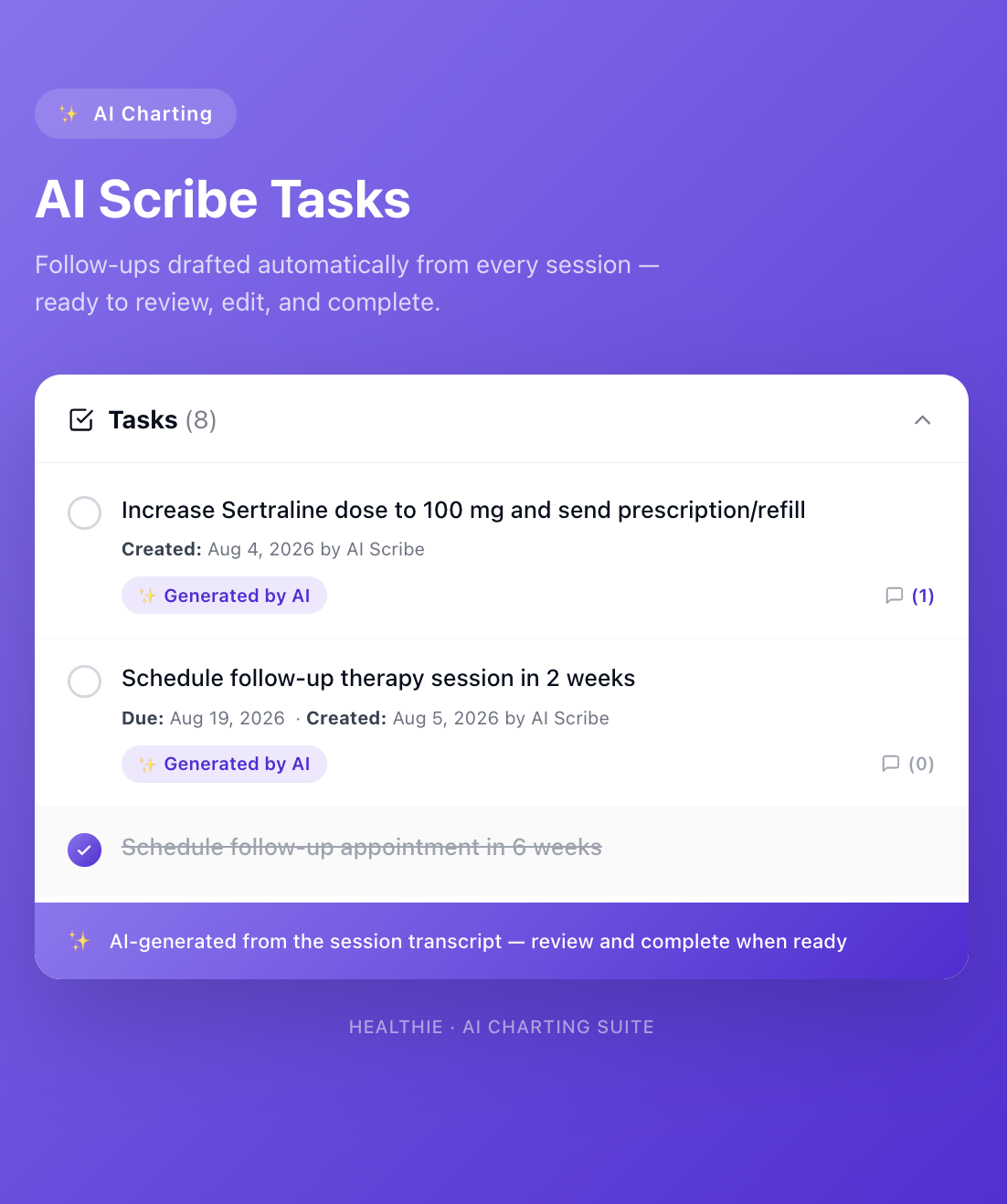
Full task controls, no new workflows
Every AI-generated task works exactly like a task a provider creates manually. That means:
- Complete it when it's done
- Edit it -- update the title, due date, assignee, or priority
- Comment on it to keep the care team aligned
- Delete it if it doesn't apply
Due dates are AI-estimated based on time references in the transcript ("in six weeks," "next month"). If no timeframe was mentioned, no due date is set -- providers should always review and adjust.
Clinician stays in control
AI Scribe Tasks is a starting point, not a final list. Care teams are expected to review, validate, and edit AI-generated tasks before acting on them clinically. The sparkle icon and "AI Scribe" badge make it easy to identify which tasks came from the model. Nothing moves forward without a provider's eyes on it first.
How to get started
AI Scribe Tasks is included for all AI Charting customers at no additional cost. No additional setup is required beyond having AI Charting enabled. Users need the "Can generate tasks by AI Scribe" member permission enabled for their account.
Tasks appear automatically in your Healthie task list after each AI Scribe session -- on the Tasks page, in Quick Profile, and in the Client Profile view.
Read the help doc to learn more and get started.